See Days without Posts in action
A Wordpress Plugin
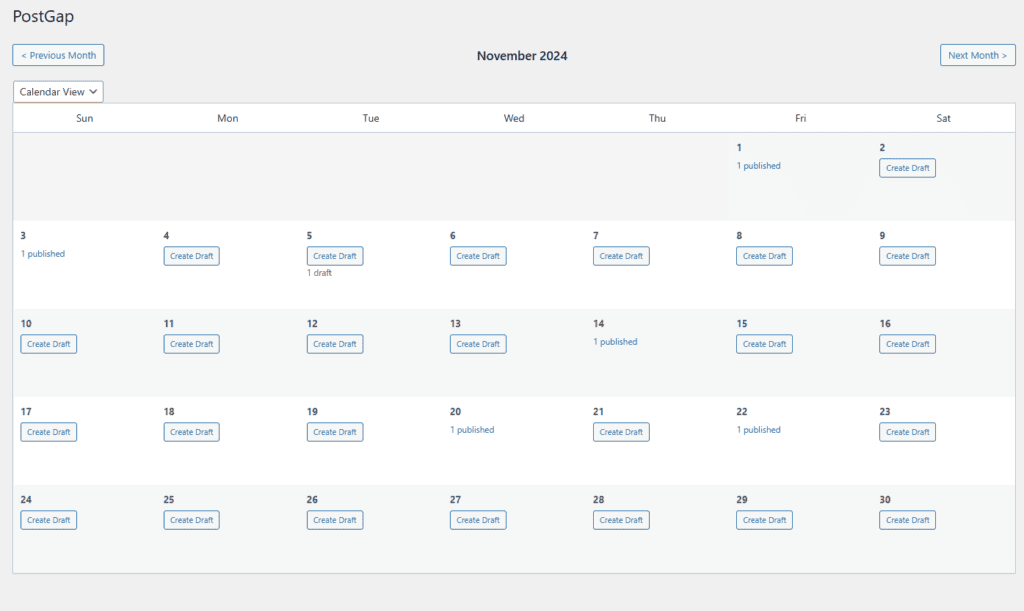
his plugin helps identify gaps in your past post calendar and empty days where no posts were published, allows quick draft creation to fill those gaps, and displays both published posts and drafts chronologically to maintain consistent posting frequency. A simple WordPress plugin to collect information from users and immediately display the list with their answer Details: The fields you want to ask, are configurable on the shortcut Collected data is saved to a txt file in CSV format, available to download. Admins get to see the capture email and date/time of the Data is immediately displayed the list in the Front End of names. Use Cases Useful for content creators and website editors Usage: Download, Install and Activate the plugin You will see an entry on the left admin menu: Days without Posts, click on You will see the calendar with the number of posts per day This plugin helps identify gaps in your past post calendar and empty days where no posts were published, allows quick draft creation to fill those gaps, and displays both published posts and drafts chronologically to maintain consistent posting frequency.
One download. No monthly bill.
- Days without Posts: The complete ZIP file digital product.
- Getting-started guide: v1.2.1
- Sample data: A safe way to explore the workflow before adding your own information.
- Product updates: Updates to the purchased version without a recurring subscription fee.
Ready to use Days without Posts? Buy once and get lifetime access to this digital product.